
 Image 1 of 4
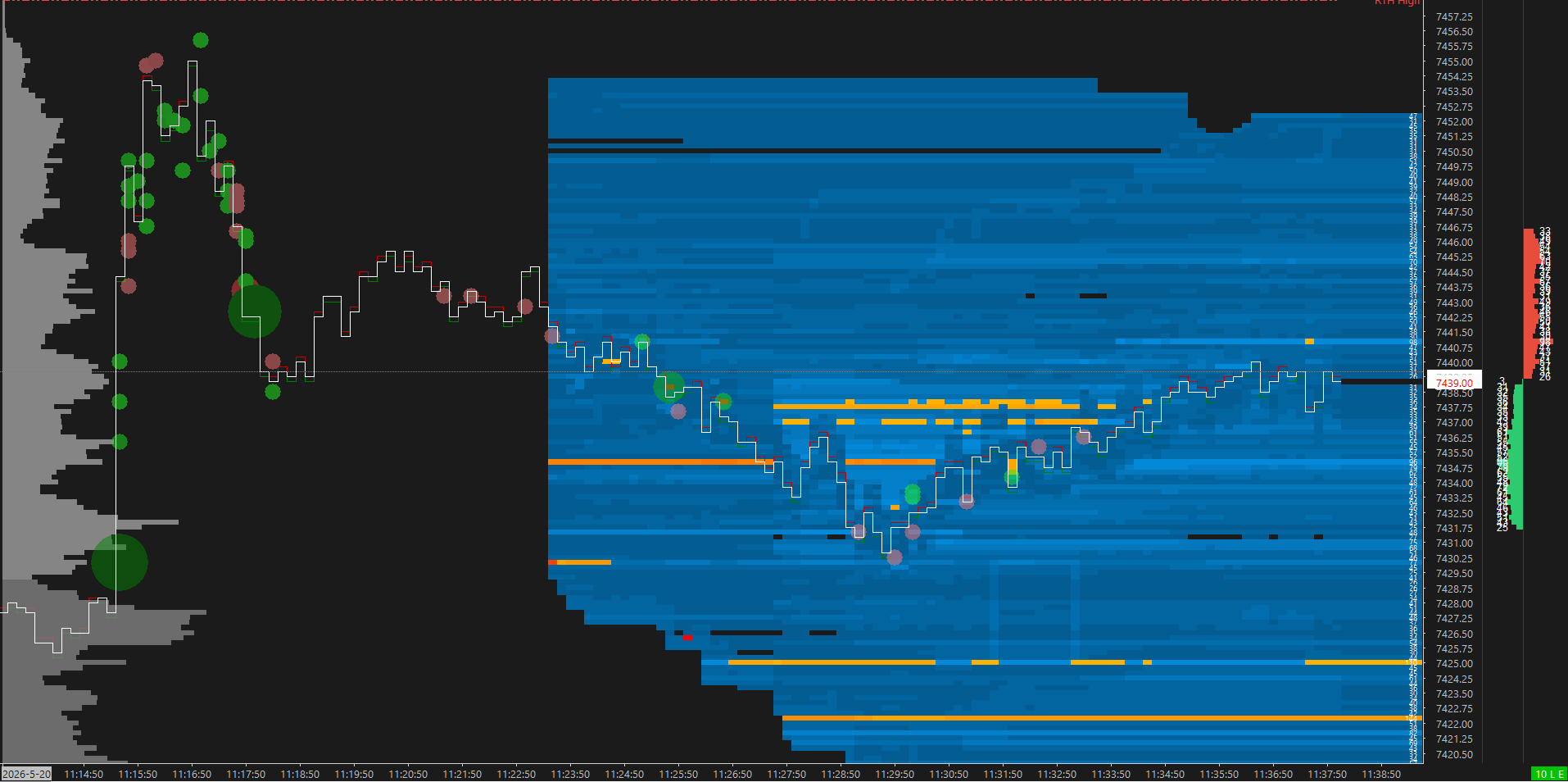 Image 2 of 4
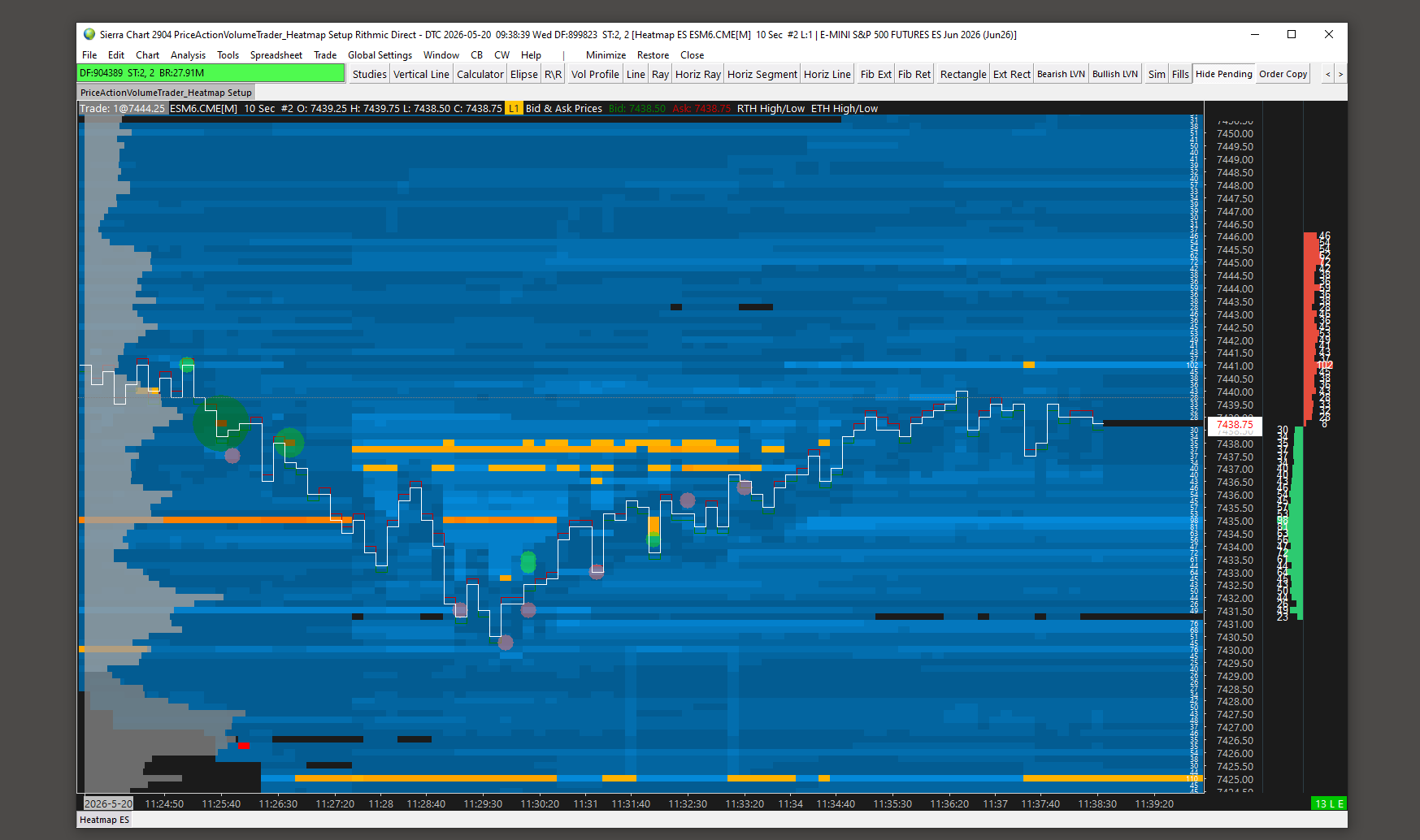 Image 3 of 4
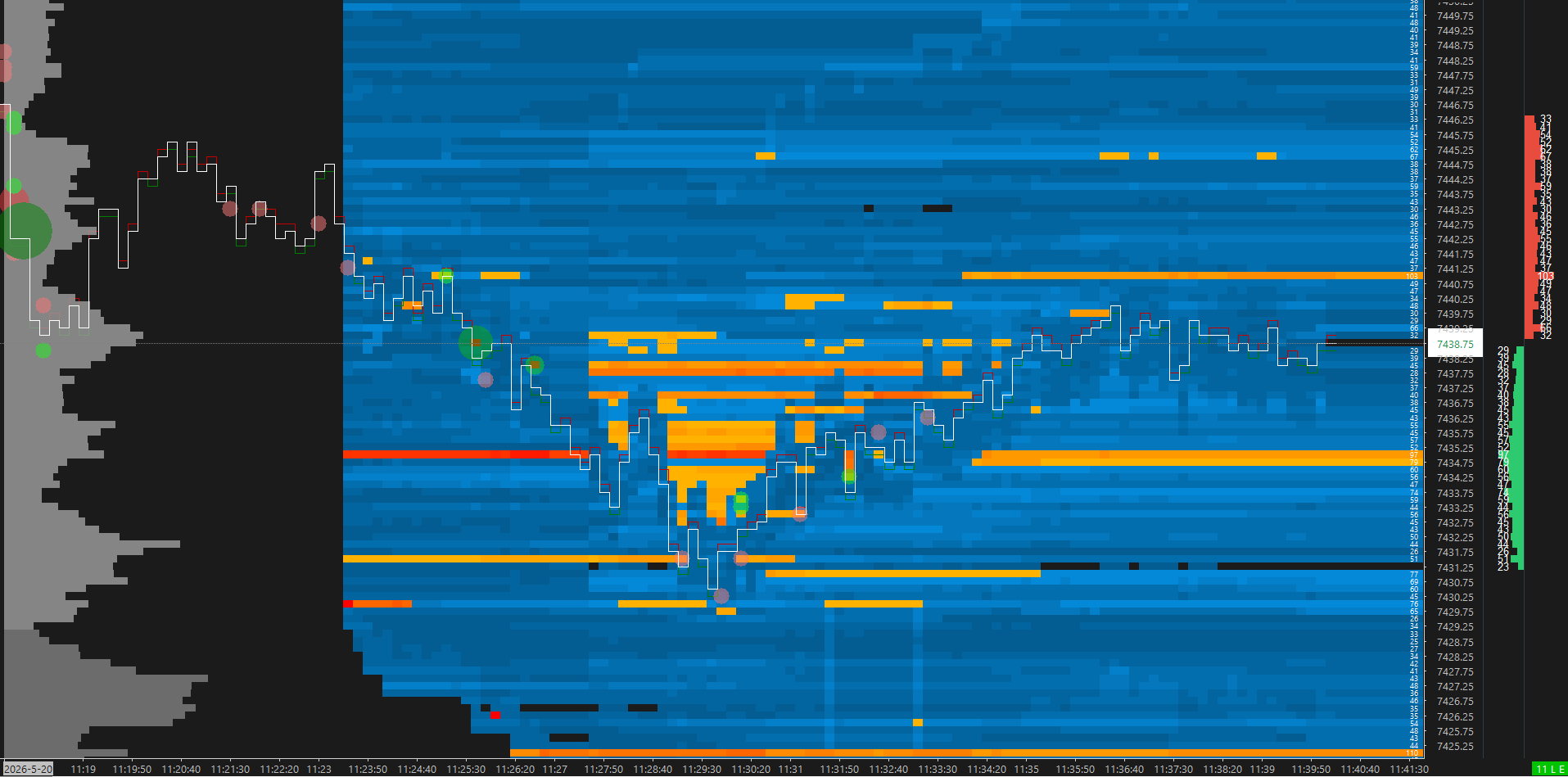 Image 4 of 4
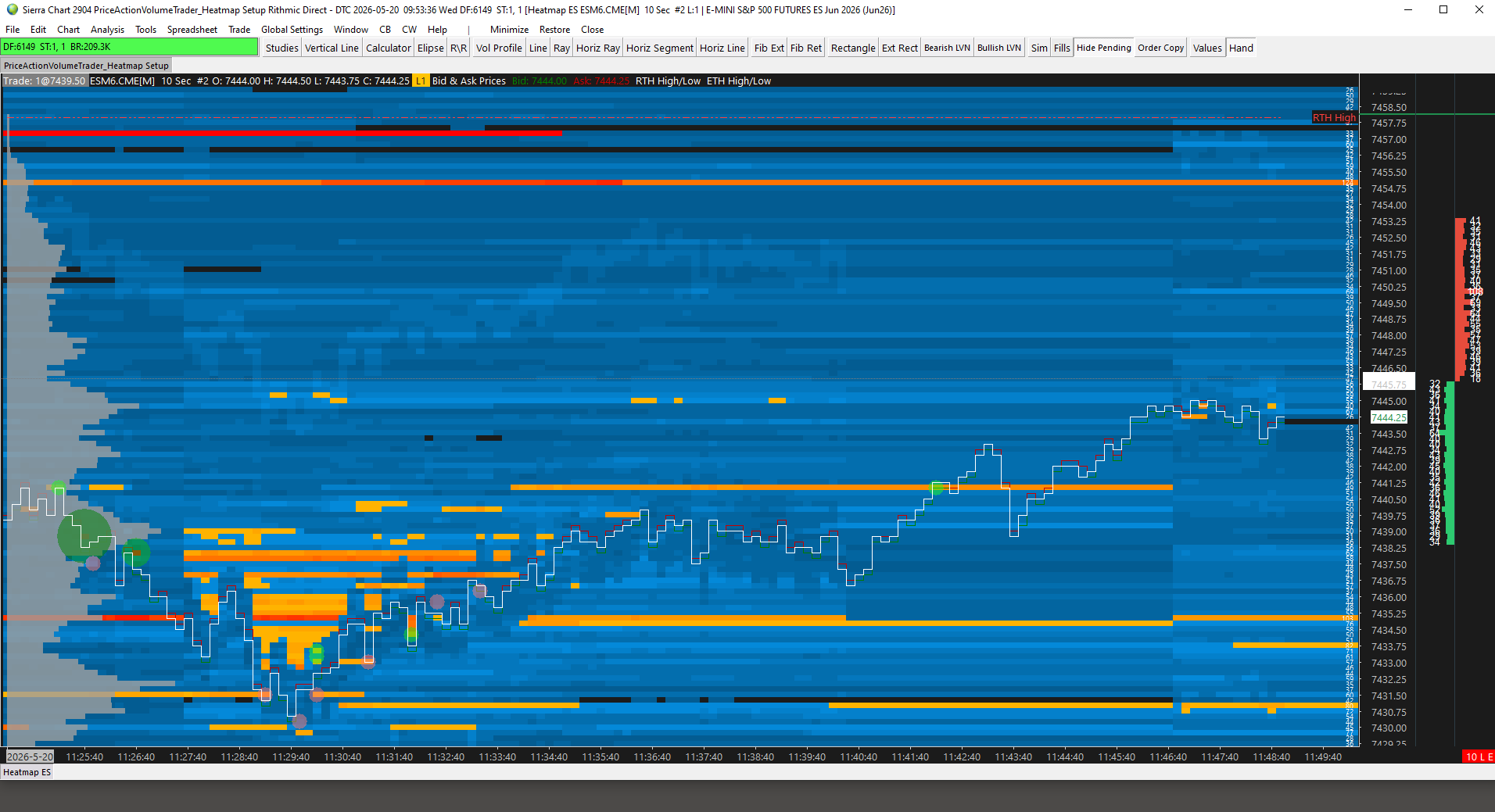
This is a dark themed Heatmap / Bookmap style chart. It is set to the September ES contract. It featuring the following indicators and settings:
Volume dots for big buy/sell executions relative to size (can easily adjust threshold for more/less bubbles)
Visual representation of resting liquidity
- Black/Greys: low liquidity
- Blues: medium-low liquidity
- Yellow: medium liquidity
- Orange/Red: high liquidity
Limit Buy/Sell DOM order quantities on right edge
Session Volume Profiles on Left Margin
ETH and RTH Session Open Marker Lines
High/Low markers for ETH and RTH hours
Current best Bid/Ask lines
This chart is set for 10 second line chart in the current ES futures contract, but it can easily be changed to any instrument and timeframe/data periods you may want.
The highlight colors and the parameters for the depth of market can be adjusted under the studies settings if you want different color highlight combinations under the study settings or to change the volume thresholds to adapt to other markets with lower liquidity like NQ or GC (Gold).
You can adjust the amount of area left on the right edge of the chart by default using the “Lock Fill Space” function under Chart Settings.
This is a dark themed Heatmap / Bookmap style chart. It is set to the September ES contract. It featuring the following indicators and settings:
Volume dots for big buy/sell executions relative to size (can easily adjust threshold for more/less bubbles)
Visual representation of resting liquidity
- Black/Greys: low liquidity
- Blues: medium-low liquidity
- Yellow: medium liquidity
- Orange/Red: high liquidity
Limit Buy/Sell DOM order quantities on right edge
Session Volume Profiles on Left Margin
ETH and RTH Session Open Marker Lines
High/Low markers for ETH and RTH hours
Current best Bid/Ask lines
This chart is set for 10 second line chart in the current ES futures contract, but it can easily be changed to any instrument and timeframe/data periods you may want.
The highlight colors and the parameters for the depth of market can be adjusted under the studies settings if you want different color highlight combinations under the study settings or to change the volume thresholds to adapt to other markets with lower liquidity like NQ or GC (Gold).
You can adjust the amount of area left on the right edge of the chart by default using the “Lock Fill Space” function under Chart Settings.